Contacts
A contact contains customer information such as their name and address. A contact can either be an individual person or the primary contact of a company. Your contacts are like an address book within Flywire Dashboard: once saved, a contact can be used in different modules, for example when creating invoices or Payment Requests.
Creating a new contact
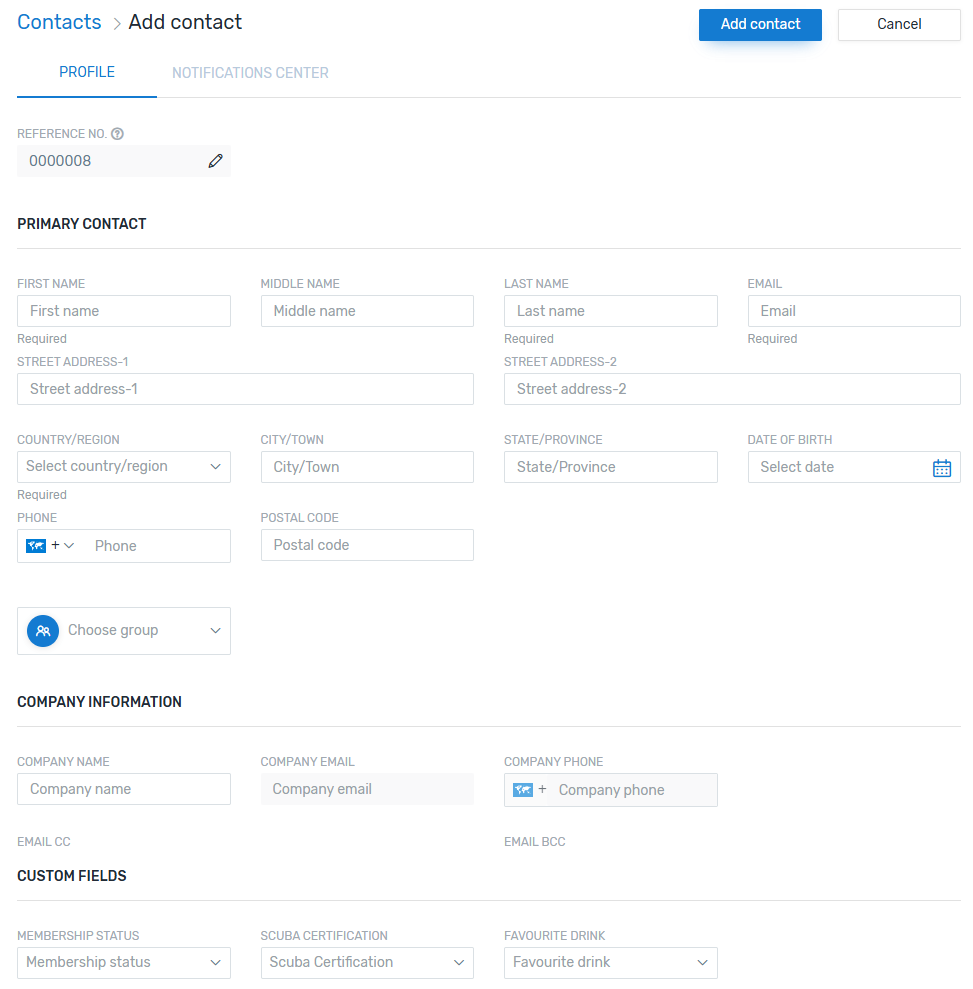
REFERENCE NO
 What is the reference number?
The contact reference number uniquely identifies a contact.
|
|
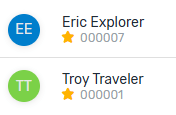
The reference number is displayed to you underneath the contact name in Flywire Dashboard. |
|
|
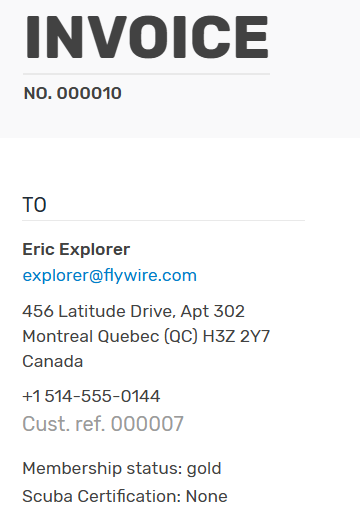
The reference number is displayed to your customer on invoices and credit notes as customer reference. (You have the option to hide the customer reference via the settings for invoices). |
You have two options:
-
You use the automatically generated reference. How it is generated depends on the contact sequence format in the general settings.
-
You manually overwrite the automatically generated reference. You can use numbers, letters, and special characters.
PRIMARY CONTACT
Add the information for the customer or, if it is a company, the primary contact for this company.
The following fields are required:
-
First Name
-
Last Name
-
Email
-
Country/Region
You can add the new contact directly to a group.
COMPANY INFORMATION
If this is a company, add the company information here.
CUSTOM FIELDS
If you are using custom fields for contacts, you can fill them out here.
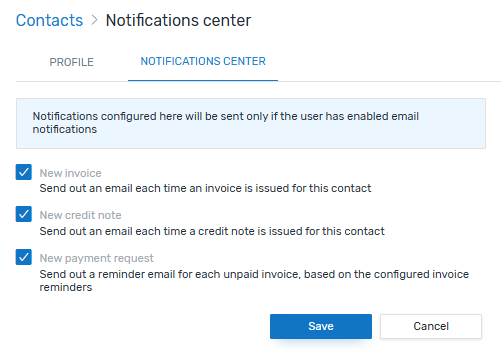
Notifications for a contact
Once a contact is created, you can change the notifications settings.
By default, all email notifications (new invoice, new credit note, and invoice reminders) will be sent, but you can turn them off individually for the contact.