Groups
Groups can be used for two different purposes:
-
You can put multiple contacts into a group to quickly add them all to a trip invoice or recurring invoice.
-
You can define default settings when creating an invoice for the contacts in the group. No matter if you add just one contact of the group to an invoice or add the whole group, the default settings will be applied to the invoice.
Examples for default settings are:
-
Default late fees
-
Default payment method
-
Default number of installments
-
Good to know:
Groups and their settings are only relevant for invoices.
Each contact can only be part of one group. This avoids contradictory default settings for the contact.
Creating a new group
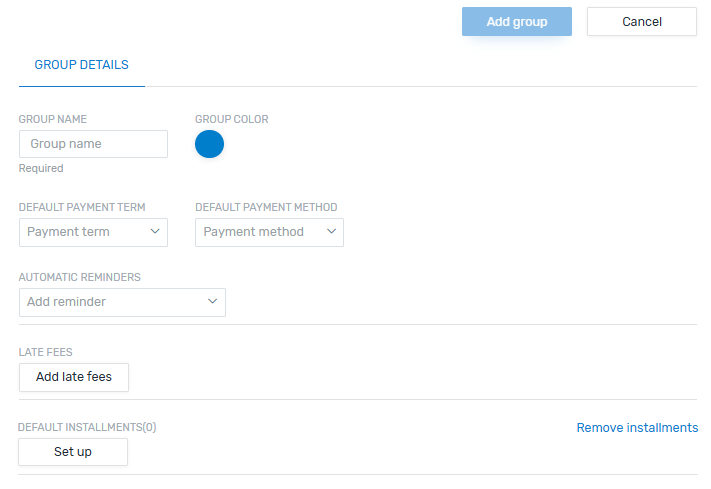
Group Name
Choose a name for the group.
Group Color
Choose a color for the group.
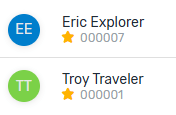
Contacts in a group will be displayed in the group color, which let's you identify at a glance if a contact is in the group.
Default settings
All default settings except the automatic reminders can be changed when you create an invoice.
Default Payment Term
Decides which due date is automatically set for the invoice. It will be the date of the invoice creation plus the number of days picked here.
Default Payment Method
Decides which payment method is pre-selected for the invoice.
 More info about the payment methods
|
Flywire - Pay now |
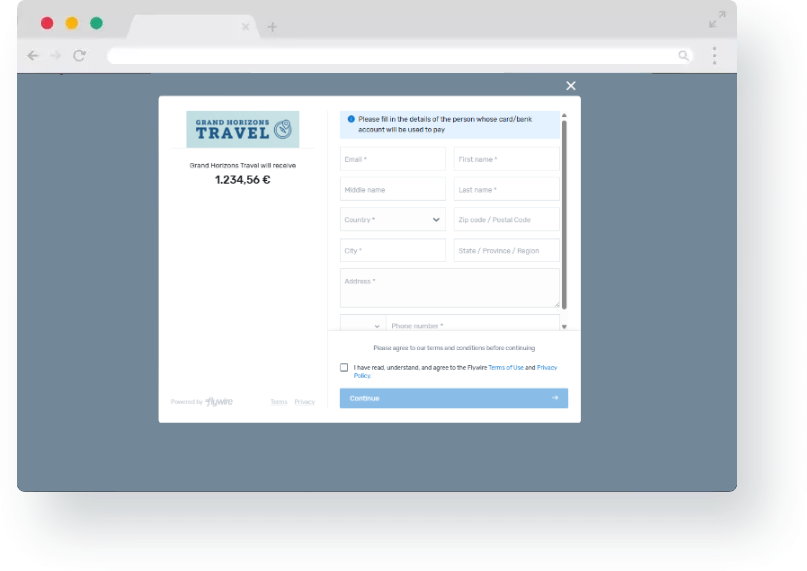
The invoice will contain a link to the Flywire Commercial Payment Experience. In this form, your payer can choose their preferred payment method, for example card or direct debit. Which payment methods are available depends on your settings. What is the Commercial Payment Experience?
The Commercial Payment Experience is the pop-up form that your customer accesses to make a payment.
|
|
Bank transfer |
The invoice will contain your bank details so that your customer can pay via the invoice via bank transfer directly to your bank account. Which bank accounts can be used to pay an invoice?
To enable your customer to pay directly to your bank account, you have to do the following:
|
Automatic Reminders
Decides when Flywire will send automatic email reminders to the payer.
Late Fees
Decides which late fees are applied. This only applies to one time payments without installments. If you are using installments, you define late fees in the default installments settings.
Default Installments
Defines the following:
-
Number of installments
-
Late fees for each installment
You won't be able to add an amount or due date for the installments here. These fields will be filled out automatically for each individual invoice:
-
The amount for each installment depends on the total amount of the invoice (total divided by number of installments).
-
The due date of each installment depends on the due date for the first installment, all other installments follow monthly. You can change the due dates for all installments manually for each invoice.